
-
 EA Twitter Premium PanelBoth FastAnd Powerful
Web-Based Twitter / X Bulk Account Management Panel
What is EA TWITTER PREMIUM PANEL ? What does it do?
EA TWITTER PREMIUM PANEL is an advanced, web-based panel software that lets you manage all your Twitter (X) accounts with ease. It is practical, fast and stable, and comes with a rich set of detailed features. Once you have added your accounts to the software, you can manage them in bulk however you like. Actions can be sent in two ways: manually or automatically. With the Automatic System you can have likes and retweets sent automatically to the accounts you define. And your computer does not need to stay on for any of this! The panel has many more detailed features. For the full list, take a look at the Panel Features section.
Accounts are added to the system by logging in through Twitter web, so your accounts are safe! The system does not come with any accounts; you add your own accounts and use them for likes, retweets, follows, unfollows, growing followers and similar actions. If you do not have extra accounts, you can buy accounts in bulk from account sellers and send as many likes, retweets and followers as you want.
Detailed Features
EA TWITTER PREMIUM PANEL offers a wide range of detailed features, so you can get your work done easily.
Ongoing Support
If you run into a problem with the software, do not hesitate to send a message. Your issue will be resolved as quickly as possible.
Purchasing
Monthly and 3-month plans keep your spending to a minimum, and each month you are free to decide whether to renew based on your needs.
Updates
EA TWITTER PREMIUM PANEL is under continuous development. Because the software is web-based, updates are applied automatically at regular intervals. You do not need to do anything. In addition, the changes Twitter keeps rolling out are fixed as quickly as possible, whenever feasible. Many fixes have already been made, especially since Twitter changed hands.
Panel Features
EA TWITTER PREMIUM PANEL is a new, web-based product that is practical, fast, stable and packed with advanced, detailed features. You can add your accounts to the system in bulk. Likewise, you can add proxies in bulk and assign a separate proxy to each account. You can use the automatic proxy rotation feature and view statistics and health status for your proxies. With the accounts you add, you can send likes, retweets, followers and replies manually or automatically. You can post tweets in bulk. With the optional Trending Topic module you can also run Trending Topic (TT) campaigns. You can set up definitions that automatically send actions to accounts or lists.
What Are the Features of EA TWITTER PREMIUM PANEL ?
Here are the main things you can do with EA TWITTER PREMIUM PANEL !
One point worth stressing: you perform these actions with your own accounts that you add to the system! The accounts you add can never be used by anyone but you. Everyone gets their own separate system.
- Automatic Likes to defined Accounts
- Automatic Retweets to defined Accounts
- Automatic Replies to defined Accounts
- Automatic Likes to defined Lists
- Automatic Retweets to defined Lists
- Automatic Replies to defined Lists
- Bulk Likes
- Bulk Retweets
- Bulk Replies
- Bulk Followers
- Bulk Tweets
- Bulk Tweet Removal
- Bulk Unlike
- Bulk Undo Retweet
- Bulk Reply Removal
- Bulk Unfollow
- Fast or Delayed Sending
- Bulk Account Import
- Bulk Proxy Definition
- Bulk Tweet Definition
- Bulk Reply Definition
- Automatically skips the email or phone prompt when adding accounts
- Custom Tweet Lists and Grouping
- Custom Reply Lists and Grouping
- Logging
- A separate proxy for each account
- Real-time data refresh
- Automatic Proxy Rotation
- Proxy status information and checks
- Account status information and checks
- Automatic token renewal for accounts whose token has changed
- Stability under high-volume operations
- Advanced User Experience
- User-Friendly Interface
Click here to see the prices or view the demo
The Trending Topic module lets you run hashtag (TT) campaigns, with special, detailed features built around the trending algorithm.
- Very fast sending
- Set the position of the hashtag
- Set the interval between tweets
- Set a maximum number of successful tweets
- Send from a list or with random words
- Automatic like after every tweet sent
- Automatic retweet after every tweet sent
- Automatic reply after every tweet sent
- Set a start and end time
- Run from the account group of your choice
- Assign credits to specific people with the credit system
- Control whether accounts may be reused
- Control whether tweets may be reused
- Support any ongoing TT campaign from outside with Likes and RTs
- Support any ongoing TT campaign from outside with Replies
- Undo all tweets sent to a hashtag with a single click
- And many more features...
Note: The TT Module is an add-on module. It is enabled when purchased separately.
The SMM Integration Module integrates with SMM panels such as Perfect Panel, automatically receives orders from those panels and completes them automatically, while also offering advanced features along the way.
- Integrates easily with a simple definition in your SMM panel
- Completes orders automatically
- Its queue structure and speed let you complete high-volume orders
- Supports refill
- You can define which service is fulfilled by which account group
- The order management screen makes it easy to view order statuses
- Listed orders can be cancelled and otherwise managed
- Orders that cannot be completed due to a lack of accounts are put on hold, so you can add accounts and resume them
- And many more features...
Note: The SMM Integration Module is an add-on module. It is enabled when purchased separately.
Screenshot
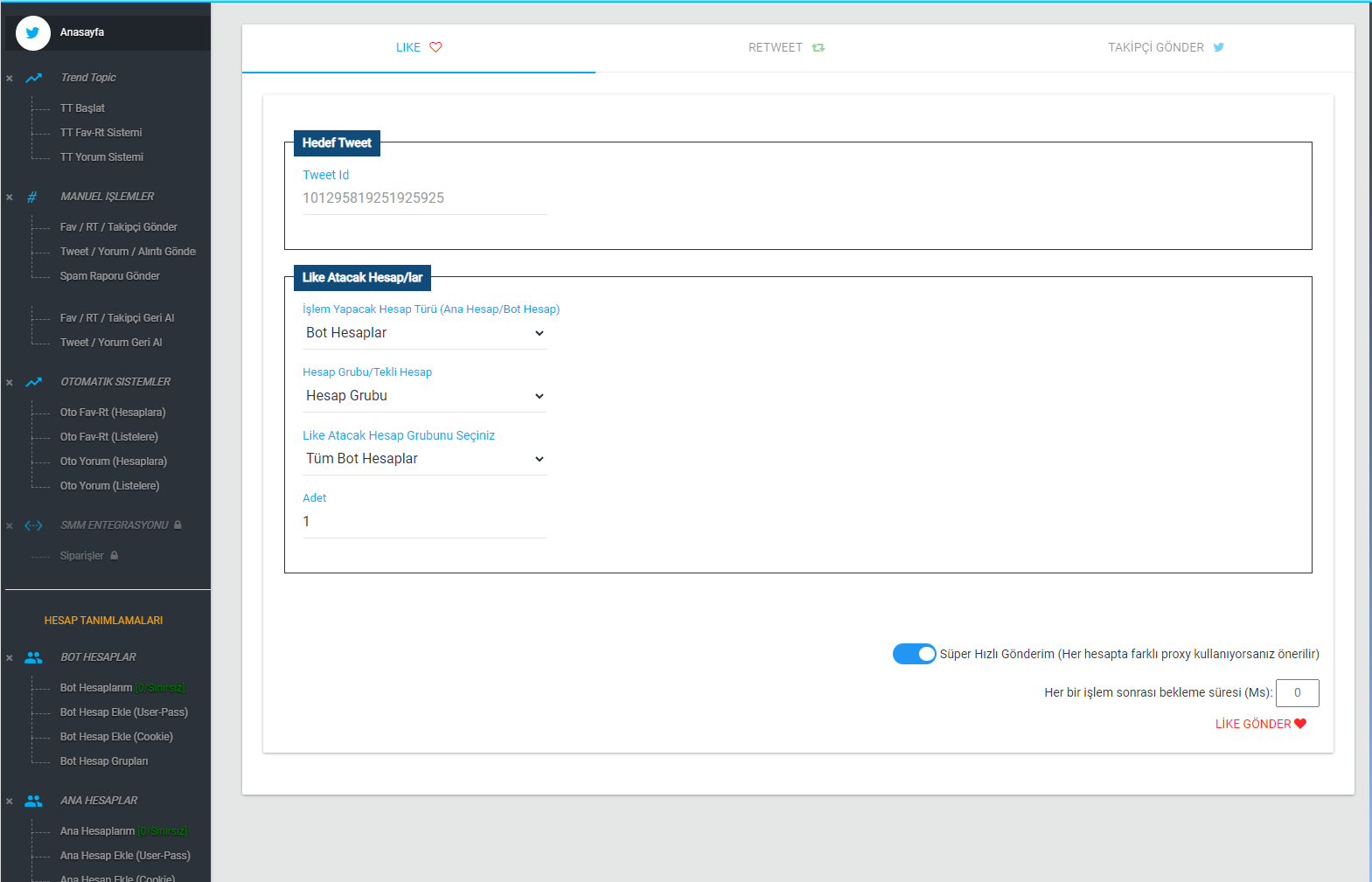
EA TWITTER PREMIUM PANEL makes things easy for its customers with Monthly and 3-Month payment options. Choose whichever suits you best. Before you buy, you can also take a look at the demo and explore it for as long as you like.
Demo & Pricing
DEMO
You can access the view-only demo of EA TWITTER PREMIUM PANEL here, with no waiting, no approval step and free of charge.
If that demo is not enough and you want to perform real actions, you can buy a 1-day demo here and try everything out as you wish.
Demo Link: demo.emreakdemir.com.tr
Note: The username and password are shown on the login screen.
Tried the demo and decided to buy?
Choose the period and license that suit you best to start your purchase. Once the purchase is complete, the link to your web-based panel will be delivered to you.
You can then start using it right away! No installation is required.
Preview Demo
FreePreview Demo
- Preview Mode Only
- For Browsing
- No Installation Required
- Mobile (Responsive) Support
- Web-Based
- All General Features
Demo
500₺1-Day Demo
- Unlimited accounts can be added
- Proxies can be added
- No Installation Required
- Mobile (Responsive) Support
- Web-Based
- All General Features
Monthly
5,000₺Unlimited Use, Monthly
- Unlimited accounts can be added
- Mobile (Responsive) Support
- No Installation Required
- Web-Based
- Proxy Support
- All General Features
3 Months
15,000₺Unlimited Use, 3 Months
- Unlimited accounts can be added
- Mobile (Responsive) Support
- No Installation Required
- Web-Based
- Proxy Support
- All General Features
TT Module
30,000₺Monthly
- Access to the TT Module
- Mobile (Responsive) Support
- No Installation Required
SMM Module
35,000₺Monthly
- Access to the SMM Module
- Mobile (Responsive) Support
- No Installation Required
Views Module
15,000₺Monthly
- Access to the Views Module
- Mobile (Responsive) Support
- No Installation Required
THERE'S MORE..
If you would like to see more of the panel, use the button below to start browsing the screenshots!
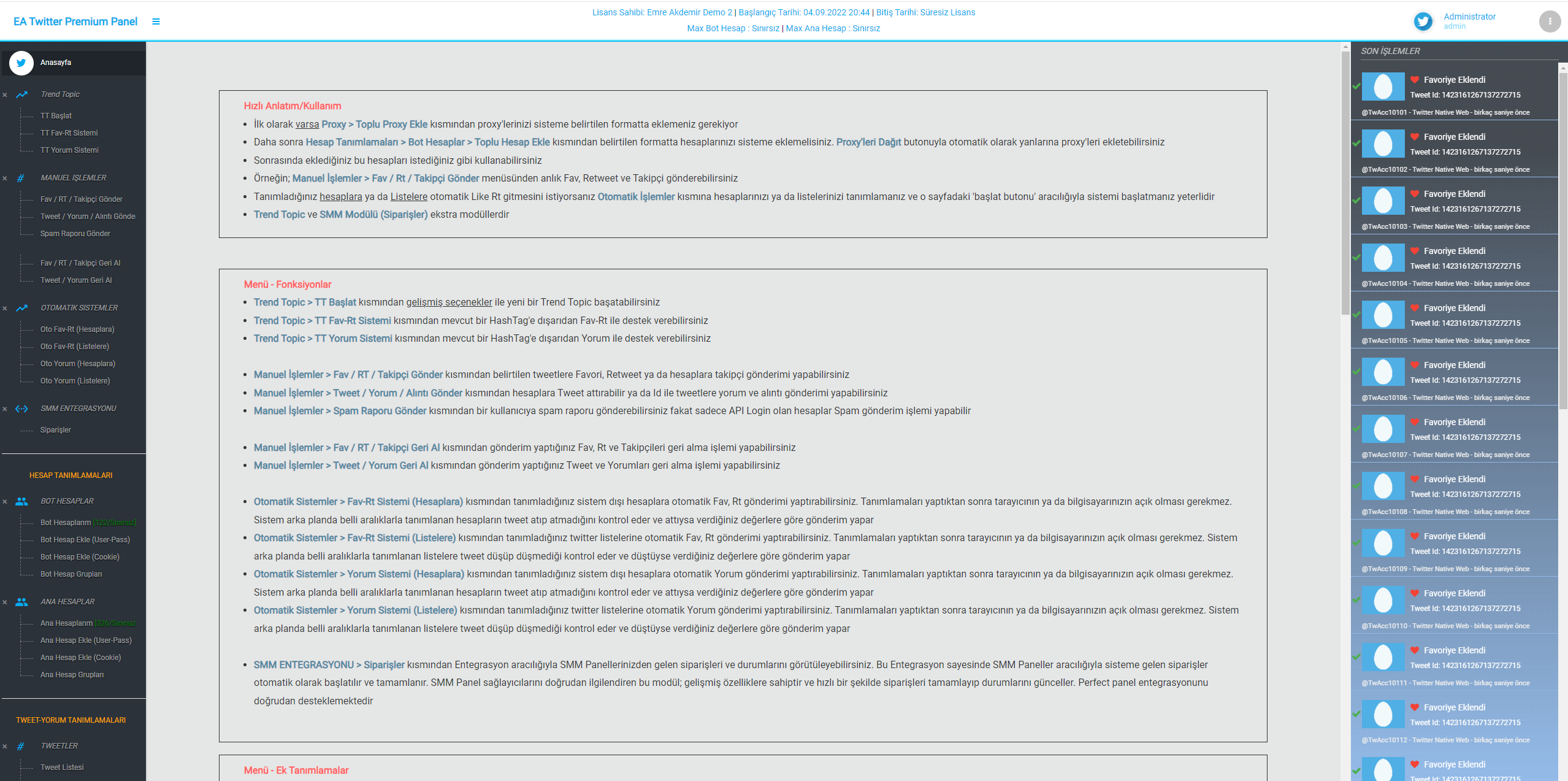
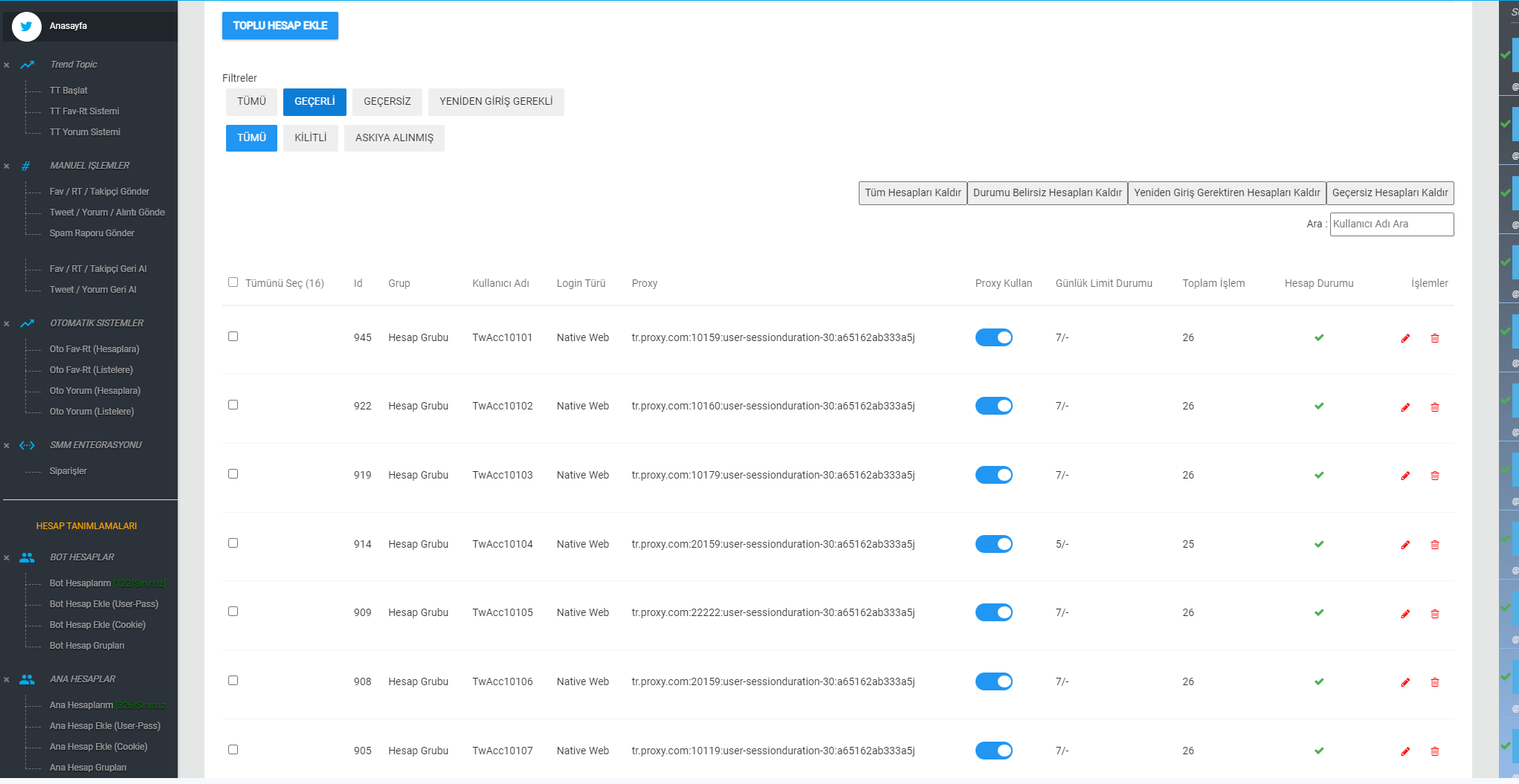
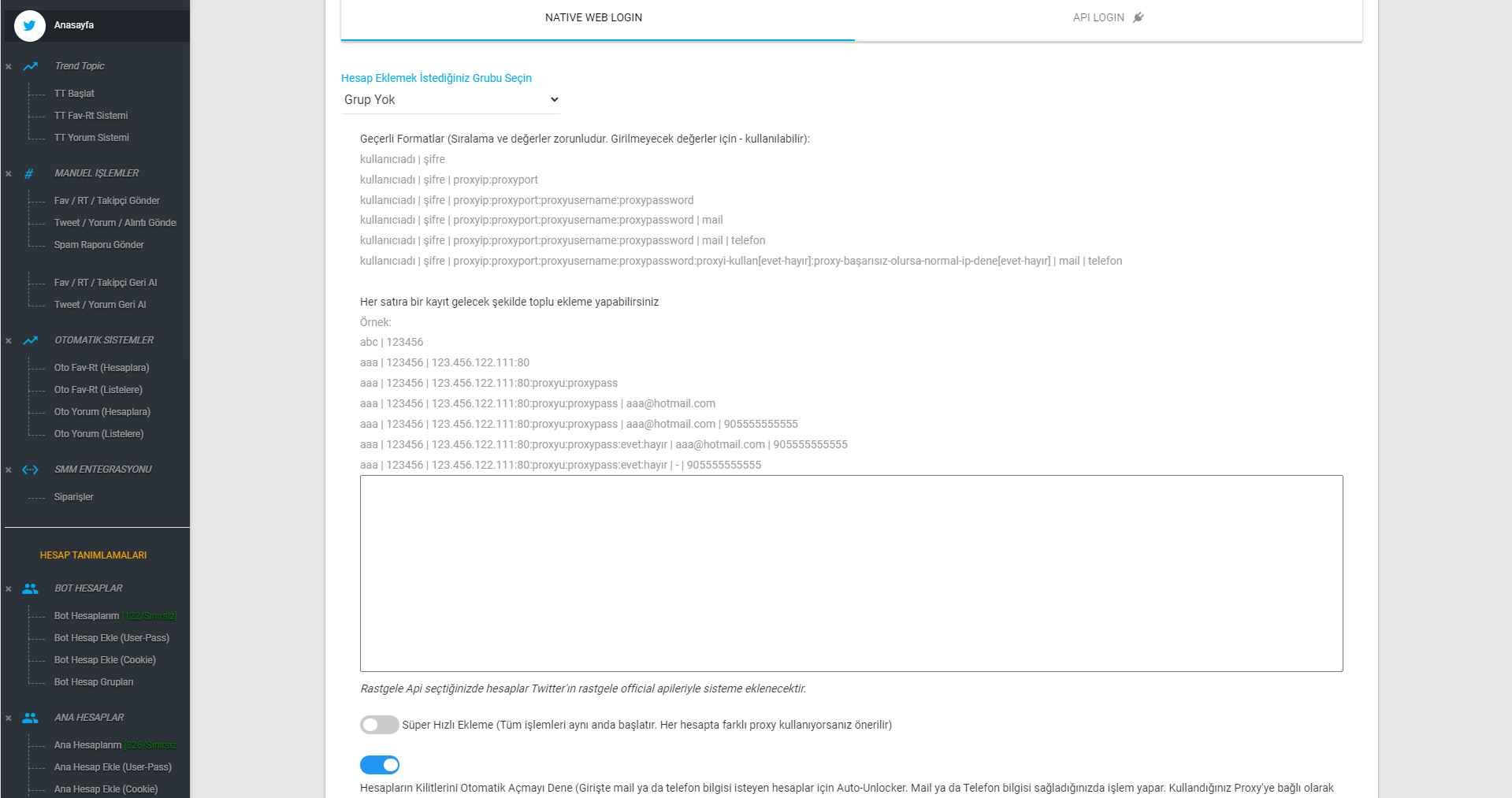
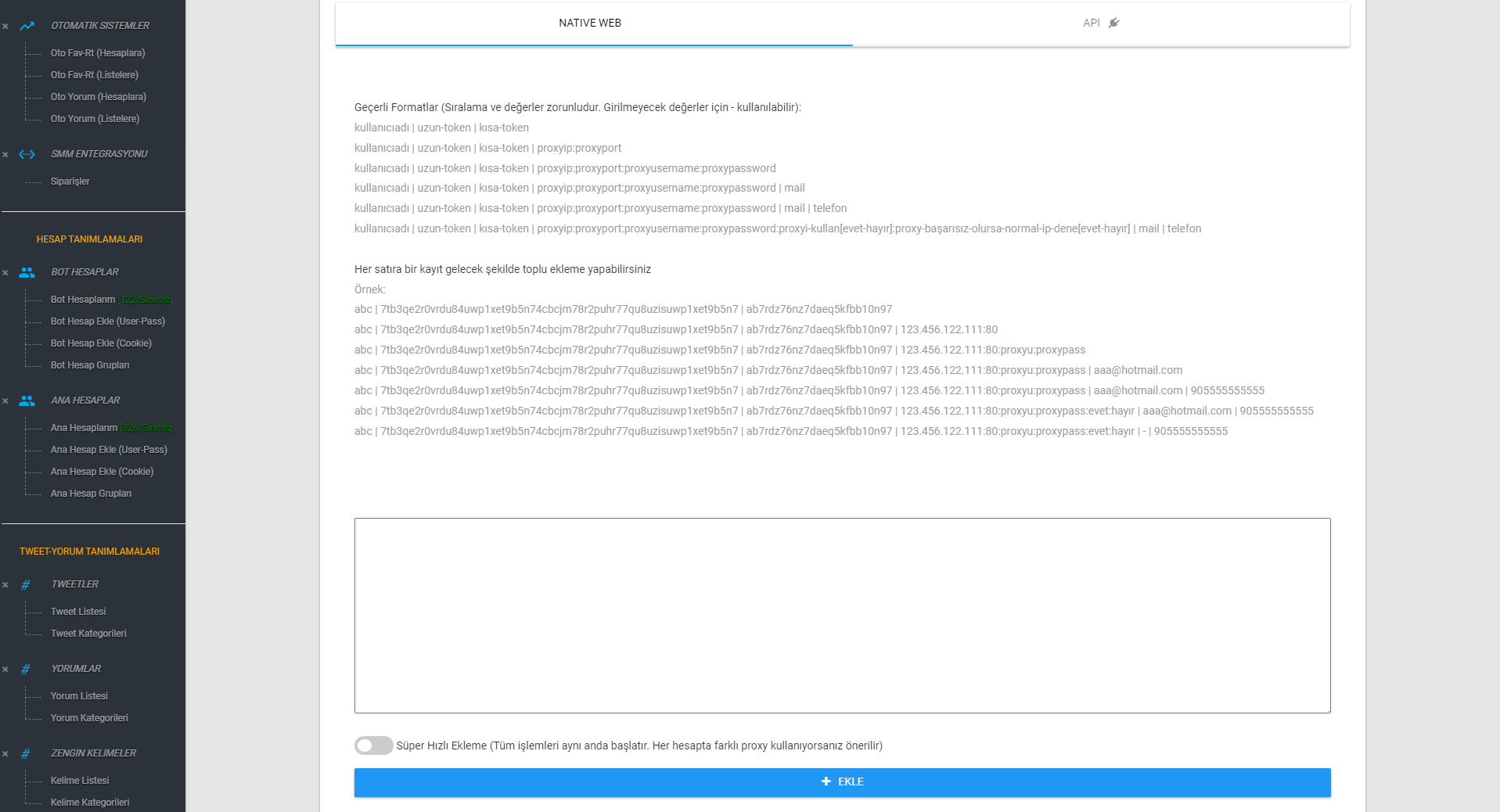
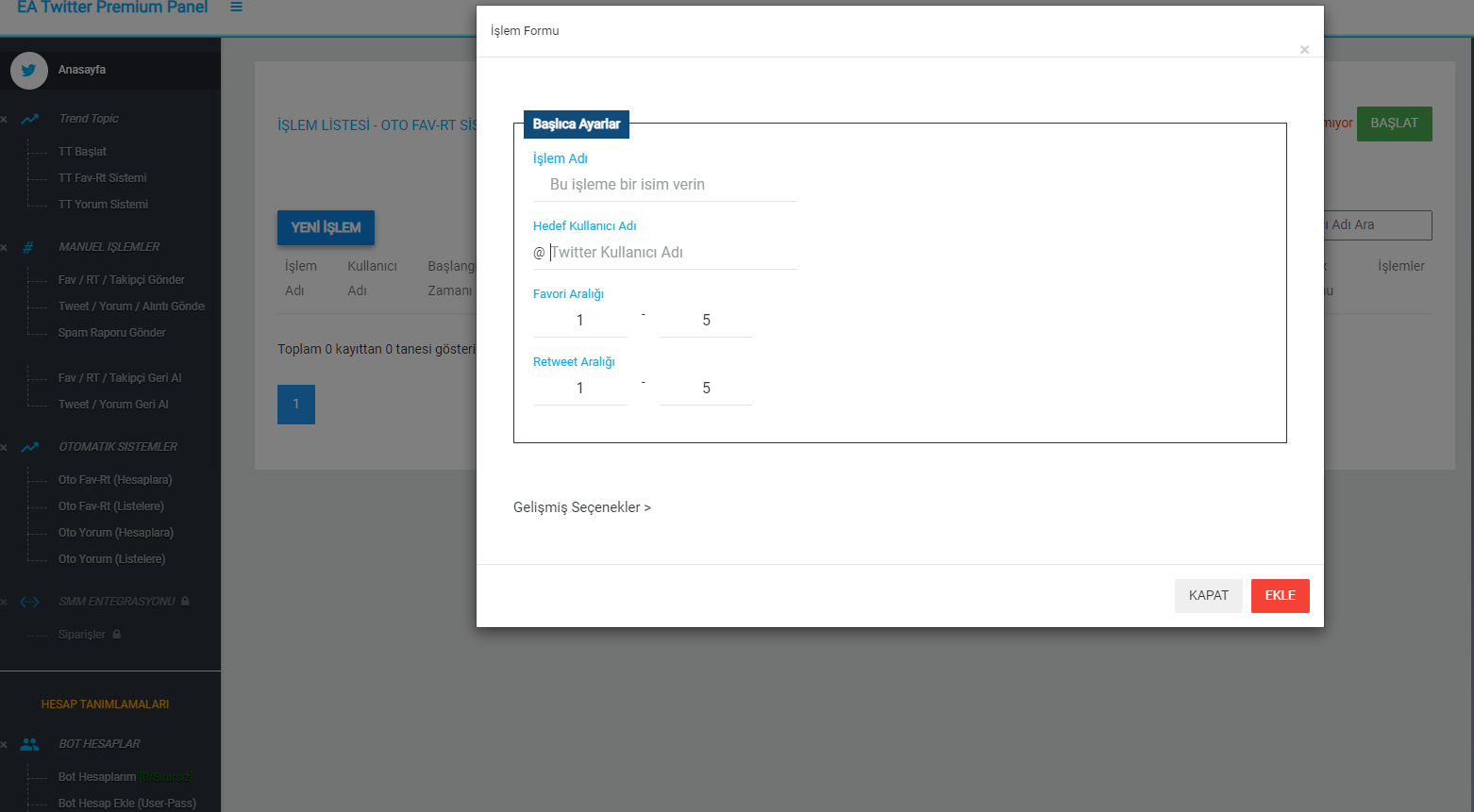
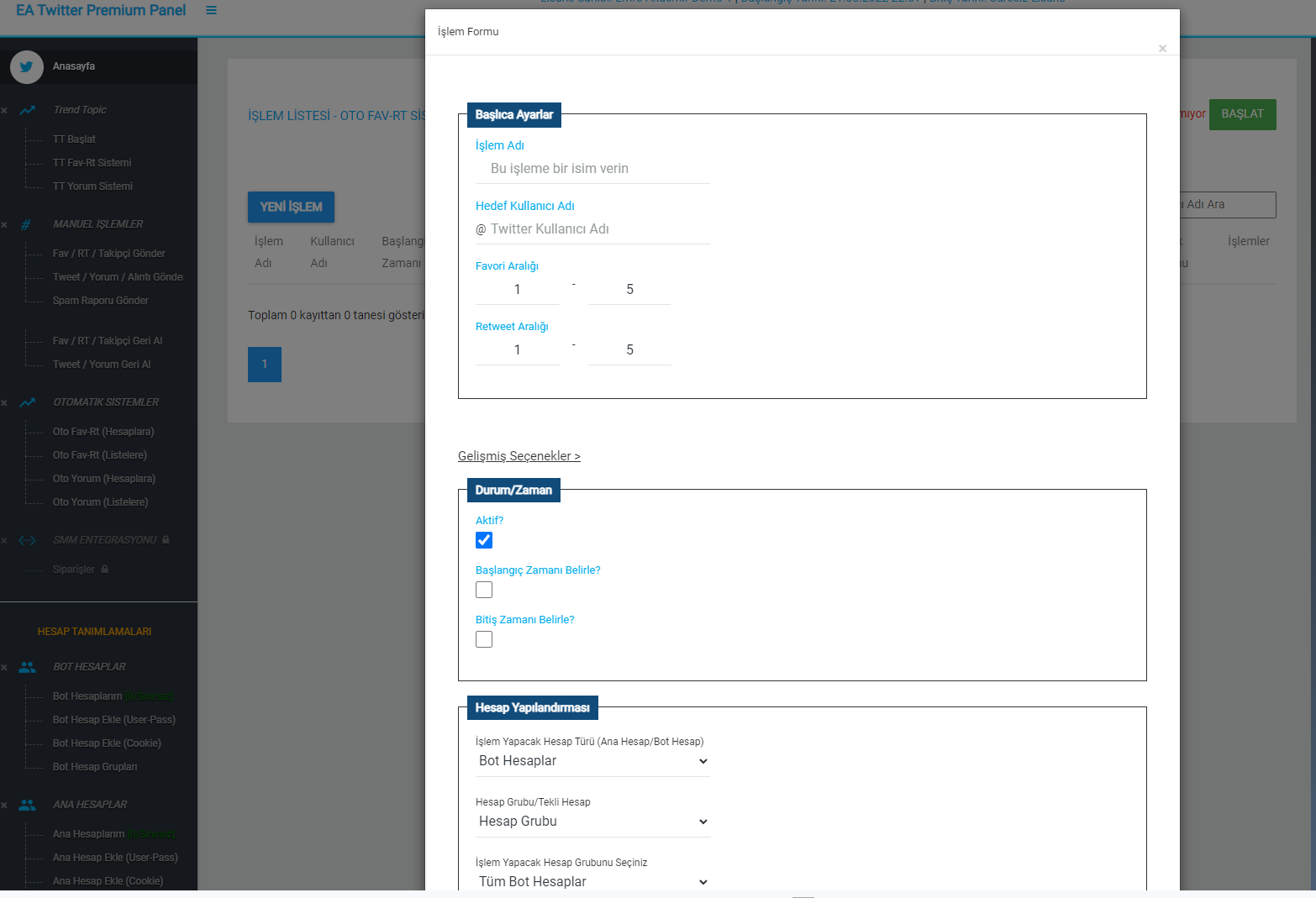
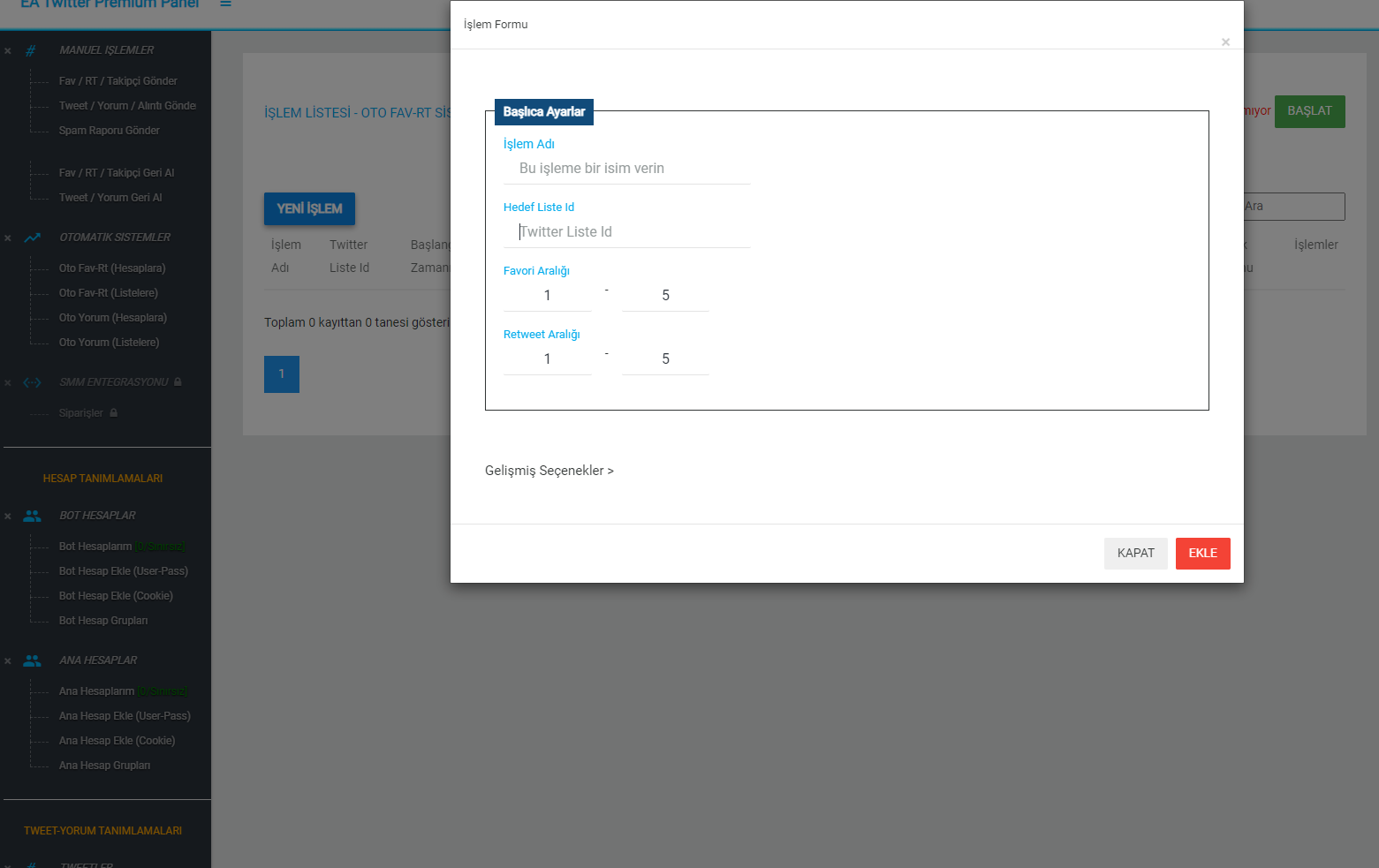
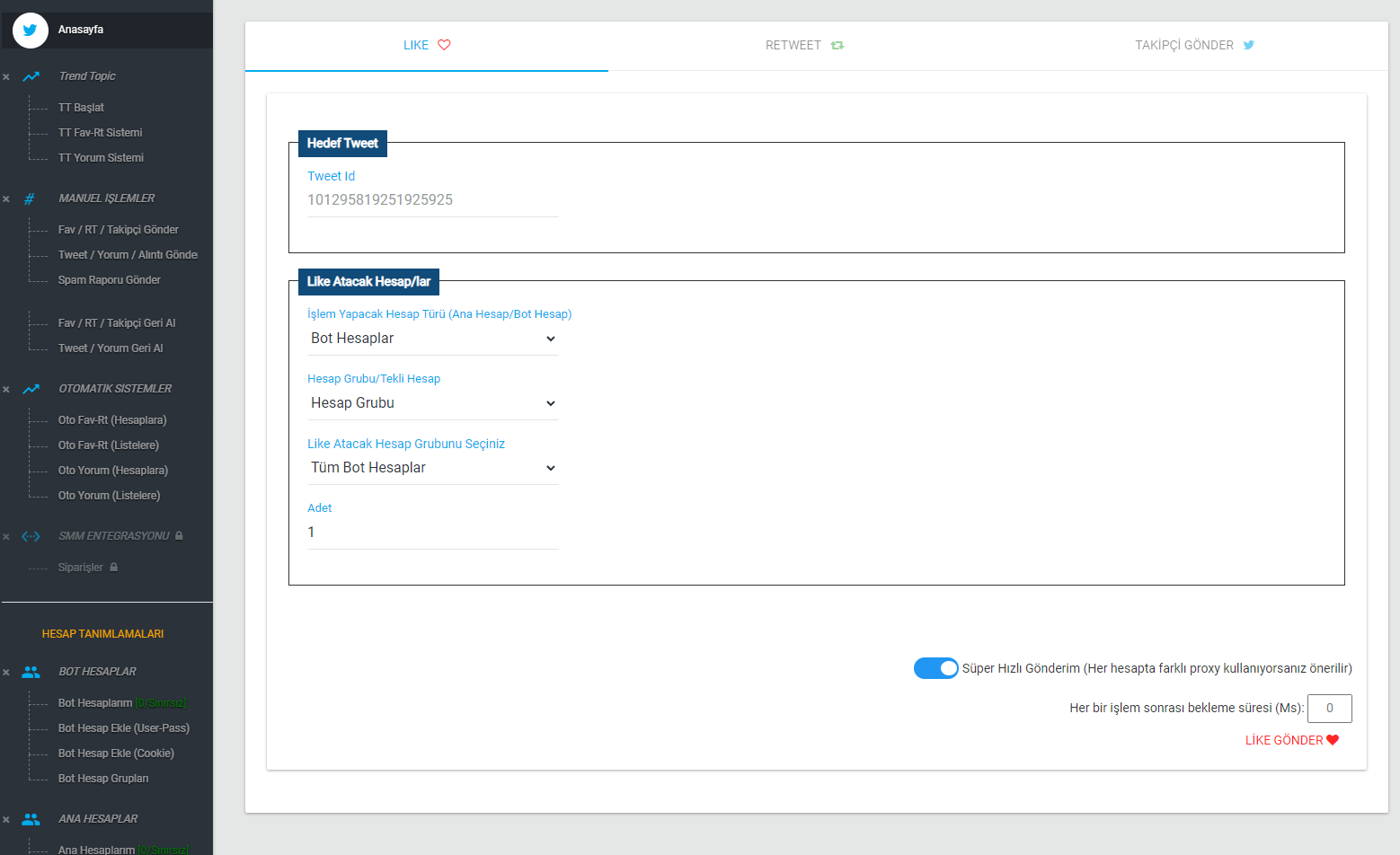
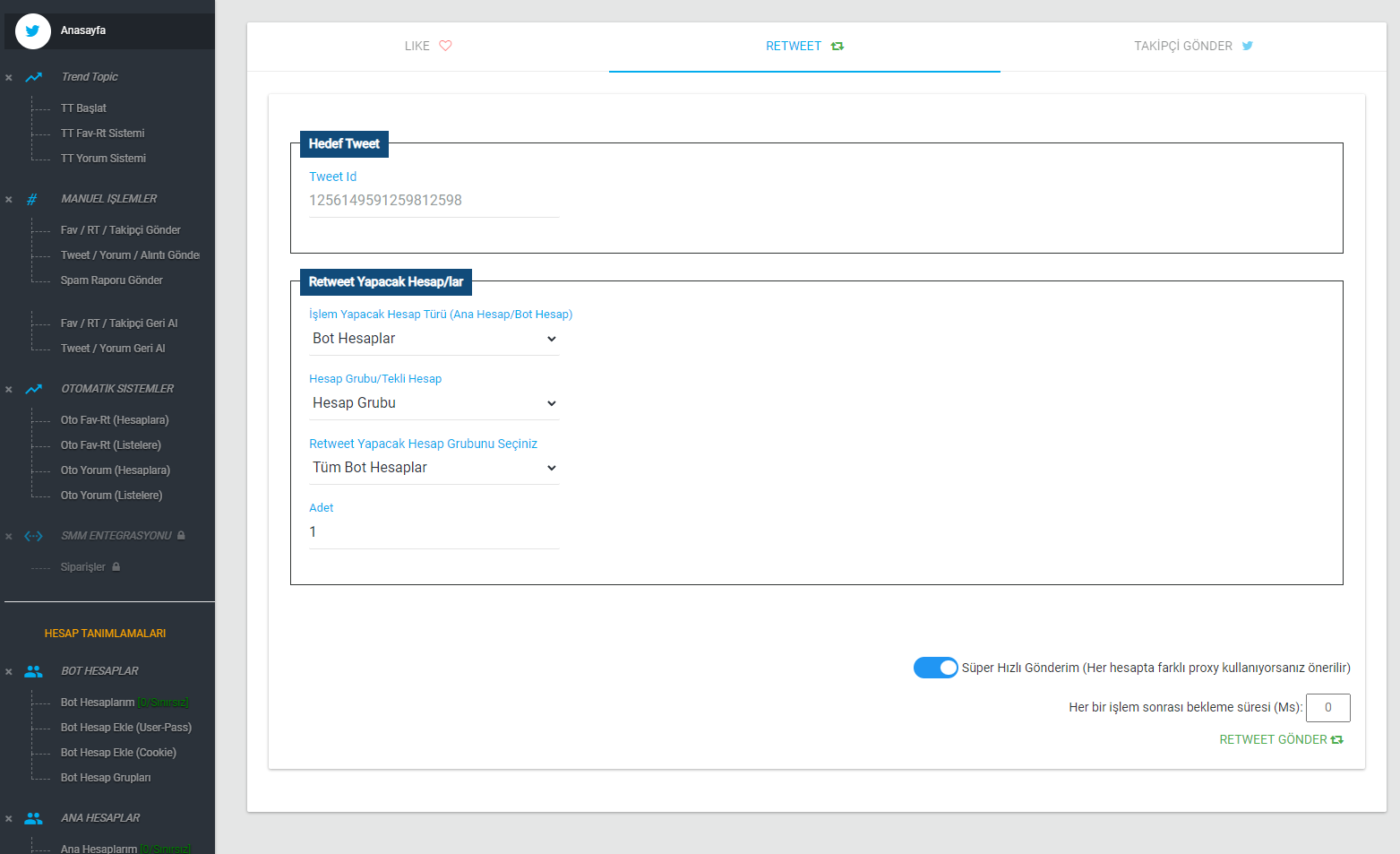
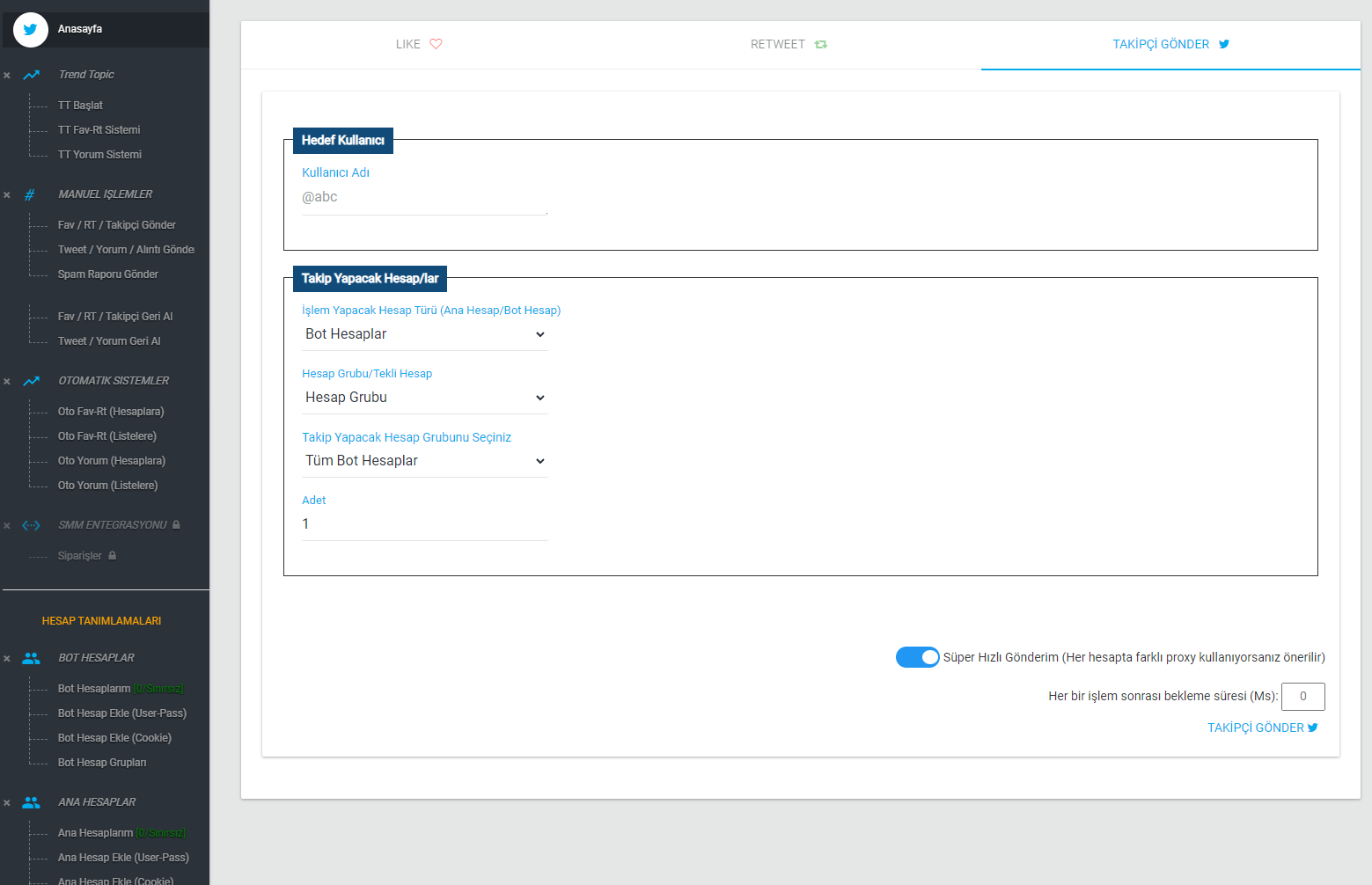
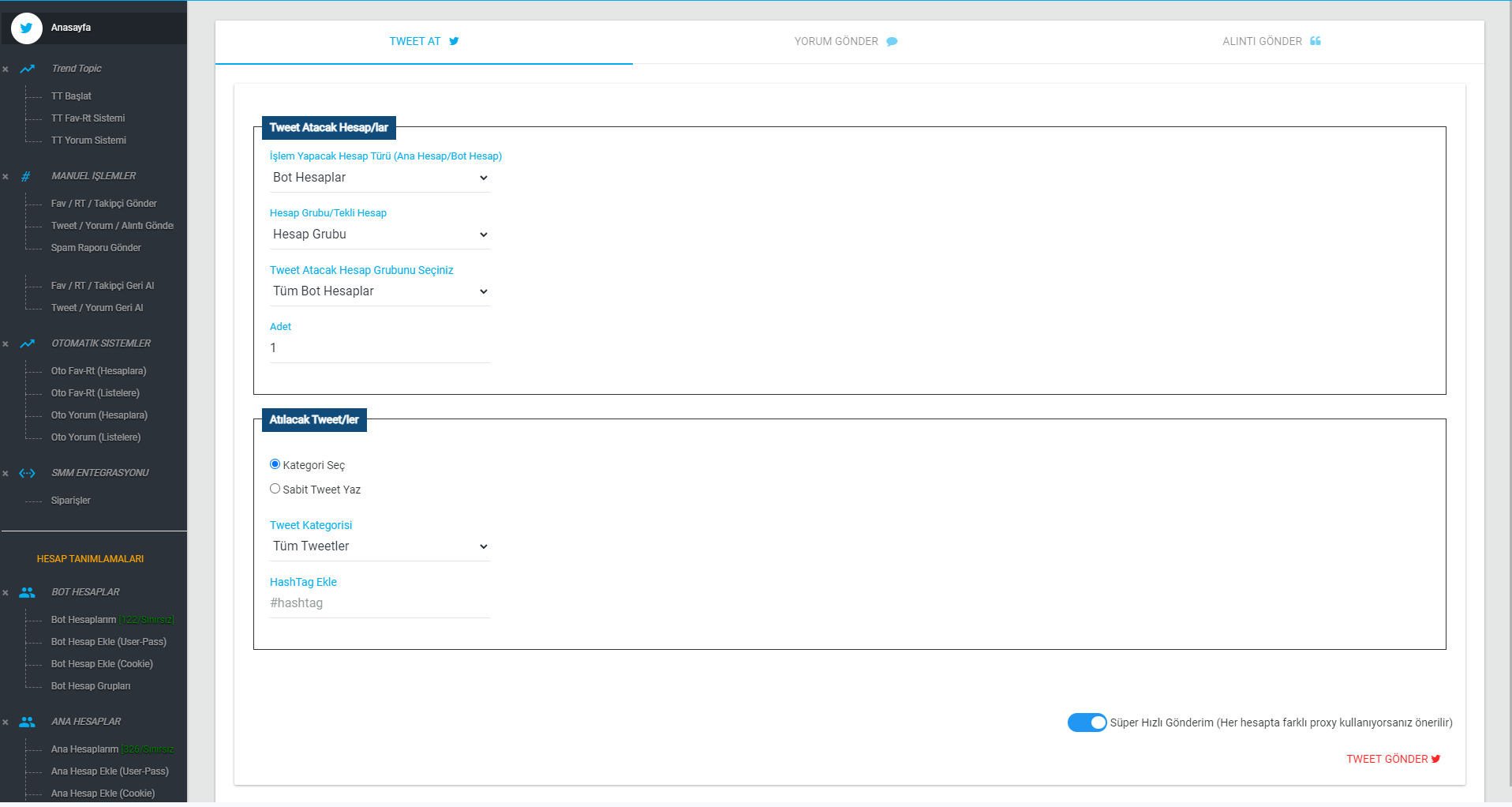
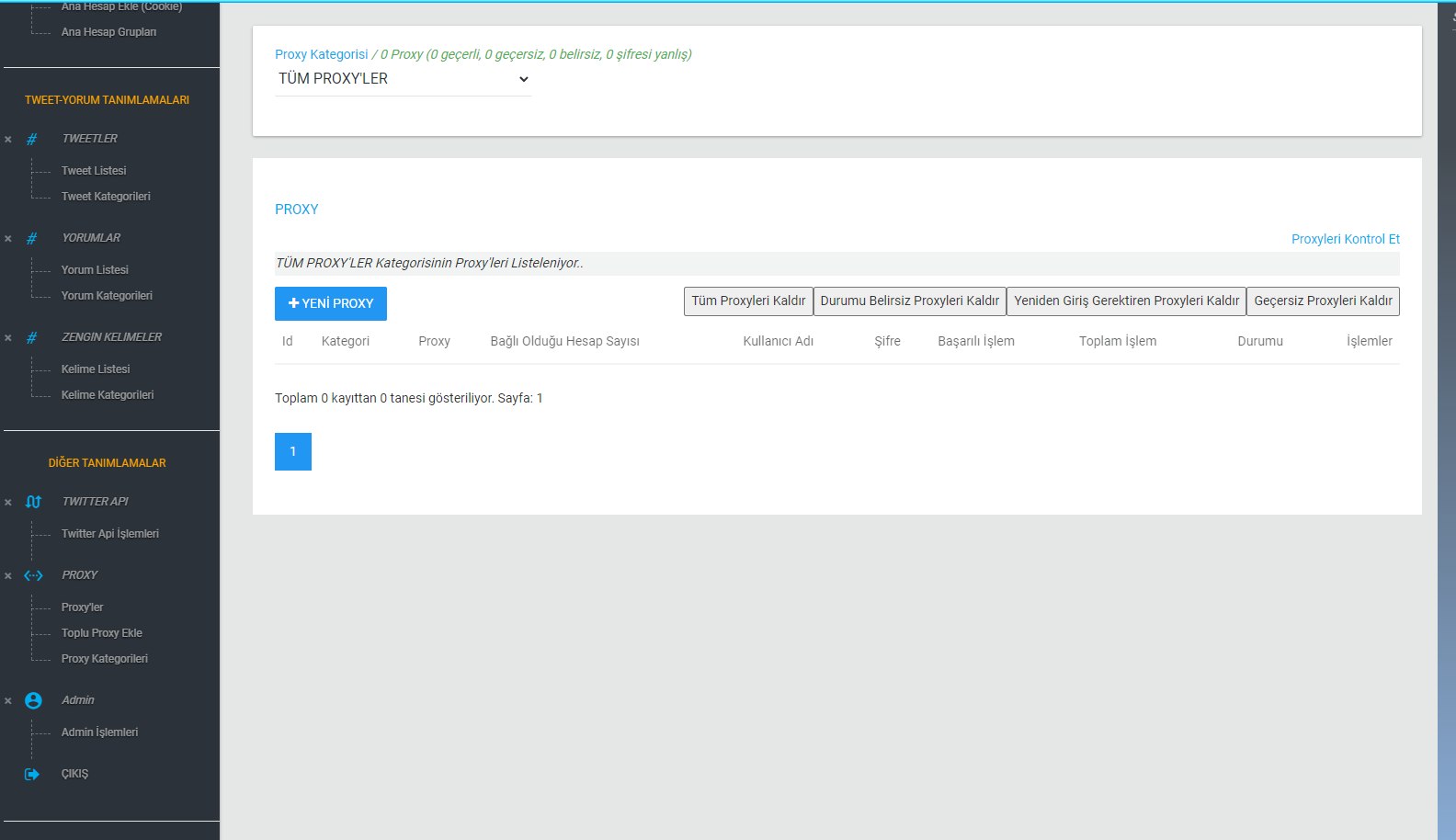
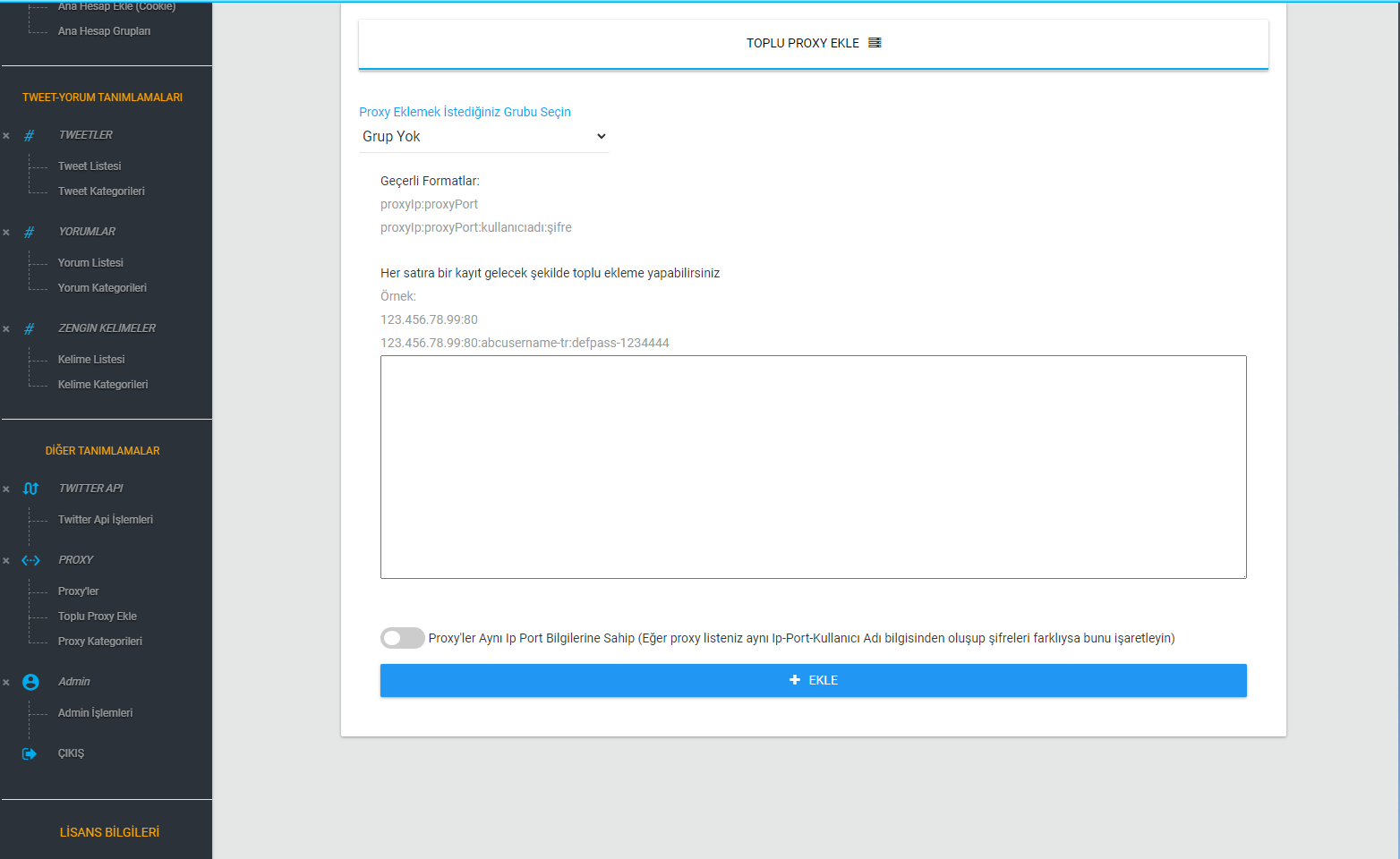
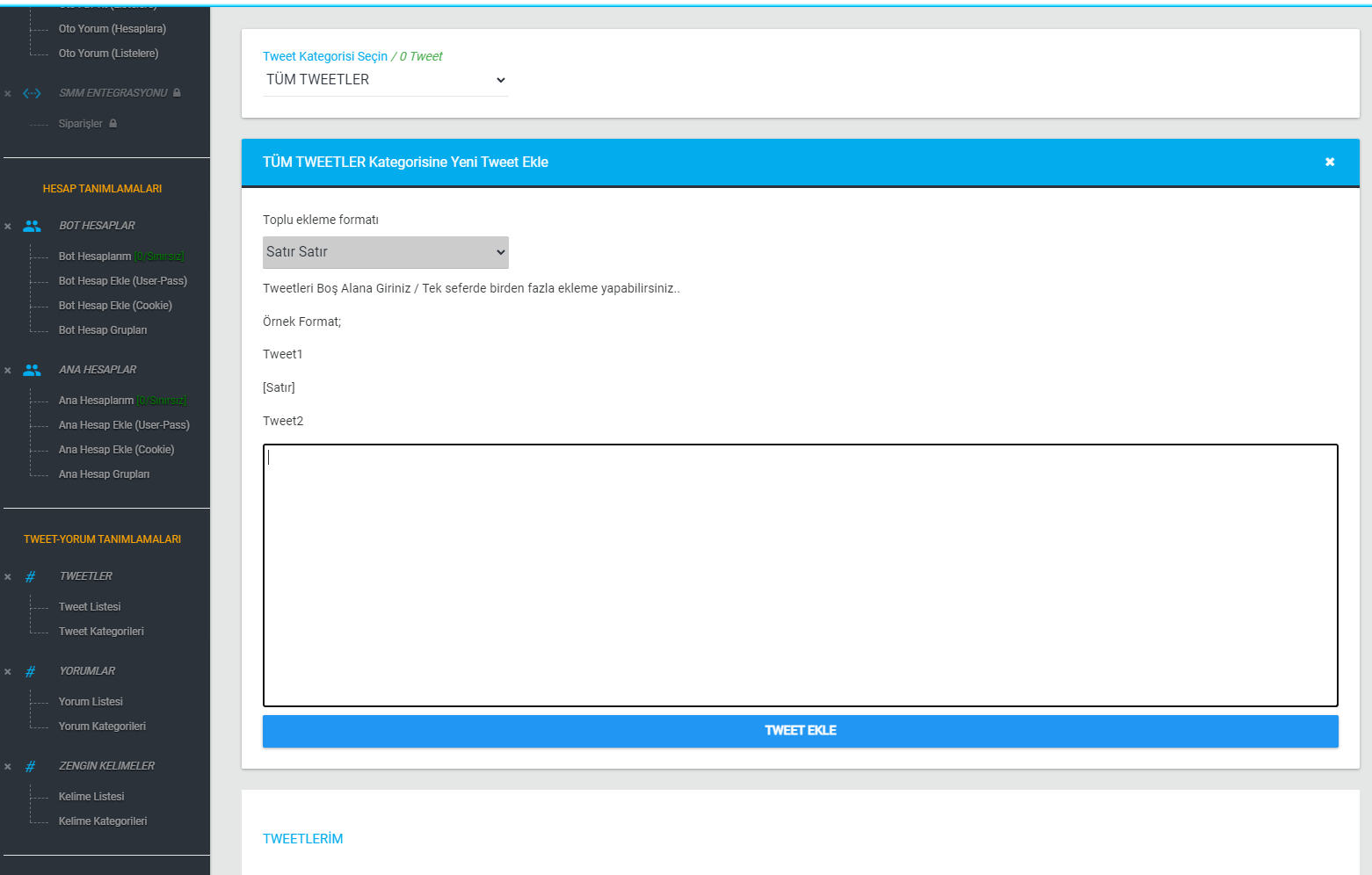
Screenshots from the Application
Preview the application's features with real screenshots taken from the application.
Sharing Is Caring
Share the application and help more people discover it.
Frequently Asked Questions - FAQ
- Is any installation required after purchase?
- No. You do not need to install anything after your purchase. I set everything up on my own server and send you the panel link and login details directly.
- Can the accounts I add to the system be used by others?
- No. The accounts you add are kept in a system that belongs entirely to you and cannot be used by anyone else in any way.
- Does the panel work with API Login or Web Login?
- The panel supports both API Login and Web Login. You can choose between them on the account adding screens. Still, I recommend using Web Login, which is also the default login method.
- Does Web Login mean Selenium, or does it use Selenium or a similar driver or browser in the background?
- No. Actions are performed directly through web services, without Selenium or a similar driver or an embedded browser. This means all actions run quickly and concurrently.
- Can I automatically send likes, retweets and replies from the system to an outside account? If so, do I have to log those outside accounts into the system too?
- Yes, you can send likes, retweets and replies to an outside user from the accounts in the system. The target user does not need to be logged into the system (the accounts section). Providing the username when defining it under automatic systems is enough.
- Does the system support SMM panel integration?
- Yes, the system supports SMM panel integration as an add-on module. Once the integration settings are in place, orders coming from SMM panels arrive directly in the system. You can view these orders and their statuses under SMM Integration > Orders. With this integration, orders that reach the system through SMM panels are started and completed automatically. This module, which is aimed squarely at SMM panel providers, has advanced features and completes orders and updates their statuses quickly. It has been coded to handle many different scenarios, and it supports Perfect Panel integration directly.
- Does it support proxies?
- Yes, you can define thousands of proxies in the system in bulk and assign a separate proxy to each account when logging the accounts in. This way every account has its own proxy assigned from the moment it logs in.
- Does it support mobile proxies?
- Yes, you can add your mobile proxies to the system just like regular proxies.
- Does it support IPv6 proxies?
- Although the system supports IPv6 proxies, Twitter does not, so you cannot use IPv6 proxies.
- Can it be used without a proxy?
- Yes. You can use the system without defining any proxy. In that case actions are performed through the server's IP. However, I do not recommend using it without proxies.
- Can the system post tweets with images?
- No. The system does not support posting tweets with images.
- Do I need to install any files to run the system?
- No. Because the system is web-based, you do not need to download or install any files. After purchasing, you simply connect through the URL you are given and get to work.
- Does my computer need to stay on for the system to work?
- No. Because the system is web-based, it runs on the server side. Once you have made your settings you can close your browser or turn off your computer. The system keeps running.
- Is there a mobile app? Can I connect from my phone?
- The system does not have a mobile app in the app stores. However, because it is web-based and responsive, you can open the URL you are given on your phone and work from there. So yes, you can log in from your phone. Even though it is responsive, some pages may have minor layout glitches.
- Is there an option to wait between actions when sending likes, retweets and replies?
- For manual sending there is a setting that lets you specify a waiting time after each action.
- Couldn't find your question here? Please get in touch..
Contact
Please do not hesitate to share your opinions, suggestions and problems regarding the application with me! Your feedback always matters to me..
WhatsApp: +90 850 840 7502 Contact via WhatsApp
Contact Addresses
https://emreakdemir.com.tr https://emreakdemir.com.tr/blog/Social Media
You can also reach me through my social media accounts